

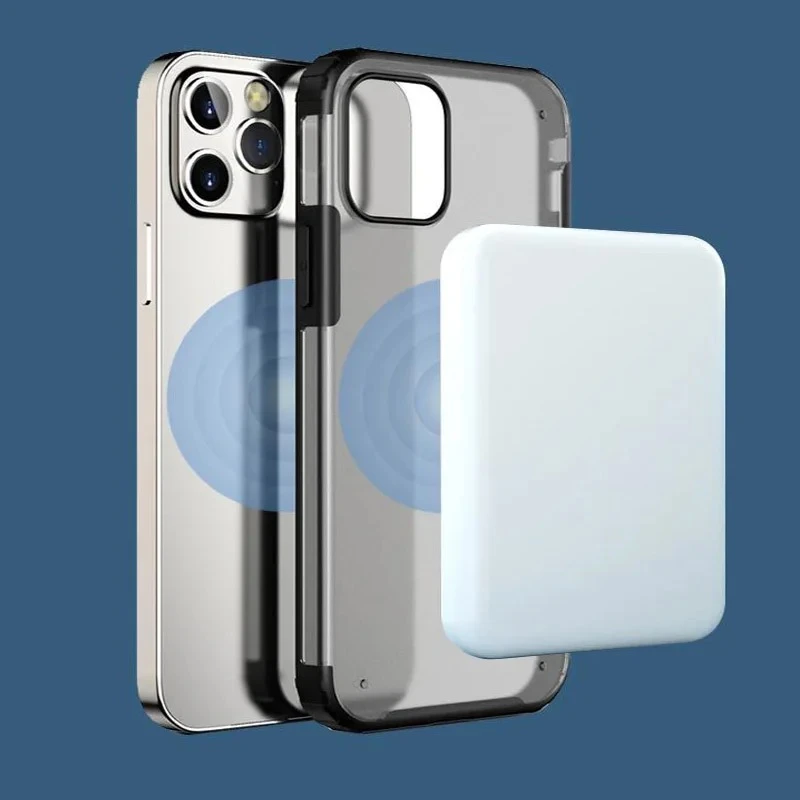
iPhone MagSafe Battery Pack Magnetic Wireless Power Bank
MagSafe Capacity: 10,000 mAh or 18.5 Wh Battery Pack - The battery pack makes use of the MagSafe technology embedded in the iPhone 11 and above, which previously was successfully used for MacBook charging cords.
LKR 15,999
 Pay LKR 5,812.97 × 3 installments with KOKO
 Quick Overview
Availability:In stock
Brand:No Brand
What's in the box:1x A2384 iPhone MagSafe Battery Pack.
Weight:0.5 KG
Warranty:3 Months
Payment options
Installment Plans
Select a Bank to View Available Monthly Plans
100% Satisfaction Guaranteed
Product Specification
A2384 iPhone MagSafe Battery Pack. Frequency: 50 to 60 Hz, Single Phase. Line Voltage: 100 to 240 VAC. Output Voltage/Current: 5VDC/3A or 9VDC/2.22A. Input Voltage/Current: 5V – 9V 3.0A Max. Operating Temperature: 0-35°C (32-95°F). Minimum Power Output: 15W. Capacity: 10,000 mAh or 18.5 Wh. Output Port: USB-C. Connectivity: Wireless, Lightning, USB-C.
MagSafe Capacity: 10,000 mAh or 18.5 Wh Battery Pack - The battery pack makes use of the MagSafe technology embedded in the iPhone 11 and above, which previously was successfully used for MacBook charging cords.
Product Details
MagSafe Battery Pack
The battery pack makes use of the MagSafe technology embedded in the iPhone 11 and above, which previously was successfully used for MacBook charging cords.
MagSafe uses magnets to allow for easy attachment of accessories and faster wireless charging by ‘snapping’ the two parts together.
So, the MagSafe battery pack snaps onto the back of an iPhone from iPhone 11, 12, 13, 14, 15 and it will charge it with 5 watts of power – about the same as an older, square iPhone wall charger.
It should be noted that this is slower than the 15 watts a user will get from a regular MagSafe charger.
When it is attached to an iPhone, users can plug a cable into its Lightning port to charge both the battery and the device at faster speeds.
As it is an Apple accessory, it is closely integrated iOS.
This is not the first battery-extending unit that Apple has released, but previous versions needed to physically plug into the iPhone’s port to charge it and give additional battery life.
But this MagSafe battery pack utilises Apple’s MagSafe system, so the magnet attachment removes the need for physically connecting the iPhone to the battery extender.
MagSafe Battery Pack Features:
Apple’s new battery pack has many good features that make it unique from other third-party accessories available in the market. The first and most important is the battery status on the iPhone widgets. You can quickly get the MagSafe battery status on your Home Screen or Today View by adding the batteries widget.
To add the batteries widget: Go to Home Screen or Today View -> Touch and Hold the Background till the apps jiggle ->Tap the Add Widget Button -> Search for Batteries -> Tap it and adjust the size -> Tap Add Widget – > Tap Done. You can see the battery status now at your Batteries widget for all connected devices.
Apple’s innovative charging features and elegant look are the key features of a Magnetic Battery Pack. But user experience will show in the future how stable it sticks on the iPhone for pocket use. So let see some great smart charging features of Apple’s new MagSafe battery pack.
Charging Features:
· Indicates Amber light when charging and Green light when fully charged.
· Charges iPhone up to 90% to protect the battery life. But users can manually bypass the battery charging limits by pressing and holding the “Low Power Mode” icon at the control centre.
· MagSafe can stop charging at 80% if the iPhone temperature detected as high and resume it once the temperature drops.
· Reverse charging features enable it worth for optimal use. It can help to charge both devices while iPhone connected to the CarPlay or MacBook.
· MagSafe battery pack can charge iPhone wirelessly at 15W while connected with a 20W or higher capacity wall charger. And it charges at the rate of 5W wirelessly while directly connected.
· The reverse charging feature can start charging the Battery Pack once the iPhone gets charged at least 80% if the iPhone directly plugged into the wall charger.
Power
Provide power to the MagSafe Battery Pack using a USB cable (not included) and Apple-branded compatible power adapters, or third-party power adapters that are compliant with applicable country regulations and international and regional safety standards, including the Standard for Safety of Information Technology Equipment (IEC 60950-1) and the Standard for Safety of Audio/ Video, Information and Communication Technology Equipment (IEC 62368-1). Other adapters may not meet applicable safety standards, and using them could pose a risk of death or injury.
Don’t use the MagSafe Battery Pack or the USB power adapter in wet locations, such as near a sink, bathtub, or shower stall, and don’t connect or disconnect them with wet hands. Disconnect the MagSafe Battery Pack, the cable, and the power adapter if any of the following conditions exist: You want to clean the MagSafe Battery Pack or the power adapter; the power cord or plug becomes frayed or otherwise damaged; the MagSafe Battery Pack, the cable, or the power adapter is exposed to rain, excessive moisture, or liquid; or the MagSafe Battery Pack, the cable, or the power adapter has been dropped, damaged, or you suspect that service or repair is required. Make sure the cable is fully inserted into the power adapter before you plug the adapter into a power outlet.
When using the MagSafe Battery Pack, remove metallic cases and avoid placing metallic foreign objects on it (for example, keys, coins, batteries, or jewellery), as they may interfere with charging or become warm enough to cause discomfort or injury if your skin comes into contact with them. Don’t place any item with an RFID tag (for example, a contactless credit card, passport, or access card) on the MagSafe Battery Pack, because the RFID tag could be damaged.
Prolonged Heat Exposure
The MagSafe Battery Pack complies with the applicable surface-temperature standards and limits defined by the International Standard for Safety of Information Technology Equipment (IEC 60950-1) and the Standard for Safety of Audio/ Video, Information and Communication Technology Equipment (IEC 62368-1). However, even within these limits, sustained contact with warm surfaces for long periods of time may cause discomfort or injury. Use common sense to avoid situations where your skin is in contact with the MagSafe Battery Pack, the power adapter, or devices on the MagSafe Battery Pack when it’s operating or connected to a power source for long periods of time. For example, don’t sleep on the MagSafe Battery Pack, the power adapter, or devices on the MagSafe Battery Pack, or place them under a blanket, pillow, or your body, when it’s connected to a power source. It’s important to keep the MagSafe Battery Pack and the power adapter in a well-ventilated area when in use or charging. Take special care if you have a physical condition that affects your ability to detect heat against the body.
Note:
1. A random available colour selected A2384 iPhone MagSafe Battery Pack will be dispatched for your order; unless communicated directly by the buyer through a Message (PM) via 'Chat'.
2. Due to the light and screen difference; the item's colour may be slightly different from the pictures.
3. Please allow slight differences due to manual measurement.
4. Charging Adaptor and Phone not included.
5. Manufacturer's 3 Months Warranty.
Instructions: It is recommended to clean the surface regularly with water and a mild detergent. Thereby, keeping the product hygienic, and the appearance clean and bright.
Seller selection
More from Seller






Related
Related Products
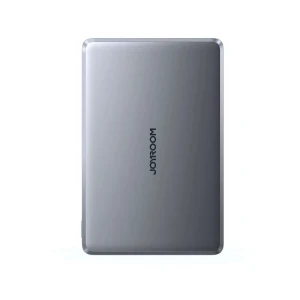
Joyroom 20W Ultra Slim Wireless Power Bank 5000mAh
LKR 10,950LKR 8,950
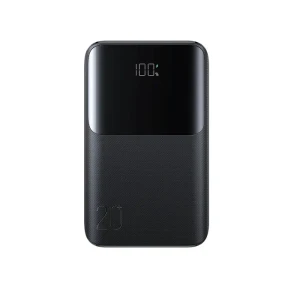
JOYROOM JR-QP192 Mini 22.5W Power Bank 20000mAh
LKR 9,950LKR 7,950
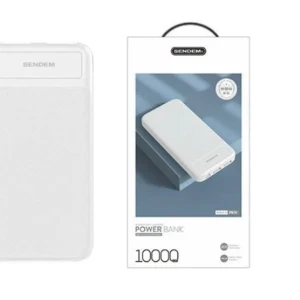
Sendem PK81 10000Mah PowerBank
LKR 2,900
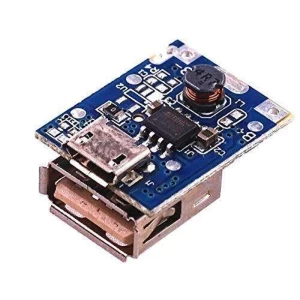
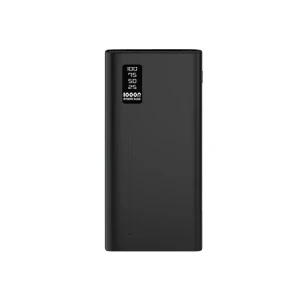
Aspor A330 Powerbank 10000
LKR 4,900LKR 4,300
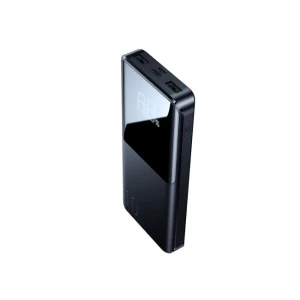
JOYROOM JR-QP191 Mini 22.5W Power Bank 10000mAh
LKR 7,950LKR 6,800
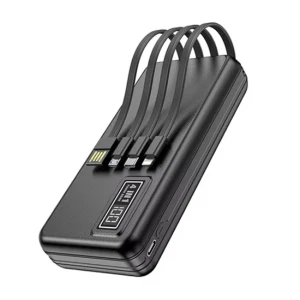
Aspor A301 2.4A 20000mah Power Bank
LKR 7,800LKR 6,500
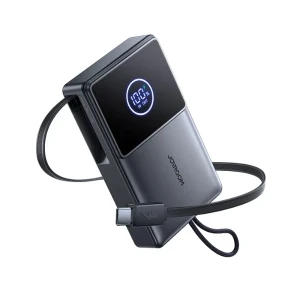
JOYROOM Retractable Mini Power Bank 10000 mAh 22.5W
LKR 9,950LKR 7,950
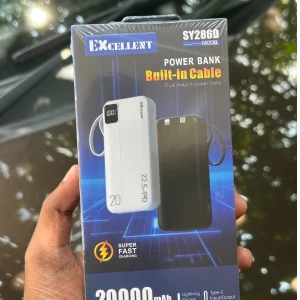
THAIWAN Power Bank 20000mAh Excellent Fast Charging
LKR 5,999LKR 3,999
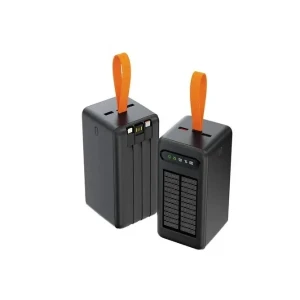
Aspor A376 Solar Power Bank 60000mah Power Bank
LKR 15,900LKR 14,900
iPhone MagSafe Battery Pack Magnetic Wireless Power Bank
LKR 15,999
Pay LKR 5,812.97 × 3 installments with KOKO Quantity
- Weight0.5 KG
- Sold0
- BrandNo Brand
- StockIn stock
Product Specification
A2384 iPhone MagSafe Battery Pack. Frequency: 50 to 60 Hz, Single Phase. Line Voltage: 100 to 240 VAC. Output Voltage/Current: 5VDC/3A or 9VDC/2.22A. Input Voltage/Current: 5V – 9V 3.0A Max. Operating Temperature: 0-35°C (32-95°F). Minimum Power Output: 15W. Capacity: 10,000 mAh or 18.5 Wh. Output Port: USB-C. Connectivity: Wireless, Lightning, USB-C.
Short Description
MagSafe Capacity: 10,000 mAh or 18.5 Wh Battery Pack - The battery pack makes use of the MagSafe technology embedded in the iPhone 11 and above, which previously was successfully used for MacBook charging cords.
Product Details
MagSafe Battery Pack
The battery pack makes use of the MagSafe technology embedded in the iPhone 11 and above, which previously was successfully used for MacBook charging cords.
MagSafe uses magnets to allow for easy attachment of accessories and faster wireless charging by ‘snapping’ the two parts together.
So, the MagSafe battery pack snaps onto the back of an iPhone from iPhone 11, 12, 13, 14, 15 and it will charge it with 5 watts of power – about the same as an older, square iPhone wall charger.
It should be noted that this is slower than the 15 watts a user will get from a regular MagSafe charger.
When it is attached to an iPhone, users can plug a cable into its Lightning port to charge both the battery and the device at faster speeds.
As it is an Apple accessory, it is closely integrated iOS.
This is not the first battery-extending unit that Apple has released, but previous versions needed to physically plug into the iPhone’s port to charge it and give additional battery life.
But this MagSafe battery pack utilises Apple’s MagSafe system, so the magnet attachment removes the need for physically connecting the iPhone to the battery extender.
MagSafe Battery Pack Features:
Apple’s new battery pack has many good features that make it unique from other third-party accessories available in the market. The first and most important is the battery status on the iPhone widgets. You can quickly get the MagSafe battery status on your Home Screen or Today View by adding the batteries widget.
To add the batteries widget: Go to Home Screen or Today View -> Touch and Hold the Background till the apps jiggle ->Tap the Add Widget Button -> Search for Batteries -> Tap it and adjust the size -> Tap Add Widget – > Tap Done. You can see the battery status now at your Batteries widget for all connected devices.
Apple’s innovative charging features and elegant look are the key features of a Magnetic Battery Pack. But user experience will show in the future how stable it sticks on the iPhone for pocket use. So let see some great smart charging features of Apple’s new MagSafe battery pack.
Charging Features:
· Indicates Amber light when charging and Green light when fully charged.
· Charges iPhone up to 90% to protect the battery life. But users can manually bypass the battery charging limits by pressing and holding the “Low Power Mode” icon at the control centre.
· MagSafe can stop charging at 80% if the iPhone temperature detected as high and resume it once the temperature drops.
· Reverse charging features enable it worth for optimal use. It can help to charge both devices while iPhone connected to the CarPlay or MacBook.
· MagSafe battery pack can charge iPhone wirelessly at 15W while connected with a 20W or higher capacity wall charger. And it charges at the rate of 5W wirelessly while directly connected.
· The reverse charging feature can start charging the Battery Pack once the iPhone gets charged at least 80% if the iPhone directly plugged into the wall charger.
Power
Provide power to the MagSafe Battery Pack using a USB cable (not included) and Apple-branded compatible power adapters, or third-party power adapters that are compliant with applicable country regulations and international and regional safety standards, including the Standard for Safety of Information Technology Equipment (IEC 60950-1) and the Standard for Safety of Audio/ Video, Information and Communication Technology Equipment (IEC 62368-1). Other adapters may not meet applicable safety standards, and using them could pose a risk of death or injury.
Don’t use the MagSafe Battery Pack or the USB power adapter in wet locations, such as near a sink, bathtub, or shower stall, and don’t connect or disconnect them with wet hands. Disconnect the MagSafe Battery Pack, the cable, and the power adapter if any of the following conditions exist: You want to clean the MagSafe Battery Pack or the power adapter; the power cord or plug becomes frayed or otherwise damaged; the MagSafe Battery Pack, the cable, or the power adapter is exposed to rain, excessive moisture, or liquid; or the MagSafe Battery Pack, the cable, or the power adapter has been dropped, damaged, or you suspect that service or repair is required. Make sure the cable is fully inserted into the power adapter before you plug the adapter into a power outlet.
When using the MagSafe Battery Pack, remove metallic cases and avoid placing metallic foreign objects on it (for example, keys, coins, batteries, or jewellery), as they may interfere with charging or become warm enough to cause discomfort or injury if your skin comes into contact with them. Don’t place any item with an RFID tag (for example, a contactless credit card, passport, or access card) on the MagSafe Battery Pack, because the RFID tag could be damaged.
Prolonged Heat Exposure
The MagSafe Battery Pack complies with the applicable surface-temperature standards and limits defined by the International Standard for Safety of Information Technology Equipment (IEC 60950-1) and the Standard for Safety of Audio/ Video, Information and Communication Technology Equipment (IEC 62368-1). However, even within these limits, sustained contact with warm surfaces for long periods of time may cause discomfort or injury. Use common sense to avoid situations where your skin is in contact with the MagSafe Battery Pack, the power adapter, or devices on the MagSafe Battery Pack when it’s operating or connected to a power source for long periods of time. For example, don’t sleep on the MagSafe Battery Pack, the power adapter, or devices on the MagSafe Battery Pack, or place them under a blanket, pillow, or your body, when it’s connected to a power source. It’s important to keep the MagSafe Battery Pack and the power adapter in a well-ventilated area when in use or charging. Take special care if you have a physical condition that affects your ability to detect heat against the body.
Note:
1. A random available colour selected A2384 iPhone MagSafe Battery Pack will be dispatched for your order; unless communicated directly by the buyer through a Message (PM) via 'Chat'.
2. Due to the light and screen difference; the item's colour may be slightly different from the pictures.
3. Please allow slight differences due to manual measurement.
4. Charging Adaptor and Phone not included.
5. Manufacturer's 3 Months Warranty.
Instructions: It is recommended to clean the surface regularly with water and a mild detergent. Thereby, keeping the product hygienic, and the appearance clean and bright.
Colombo-City, Colombo 01
Fardar ExpressLKR 425
Cash On Delivery Available
Return & Warranty
7 Days Buyer ProtectionYour purchase is protected by Tudo.lk.
3 Months seller warrantyManufacturing Warranty only. Warranty void for water damage or if electronic device is opened.
No reviews yet for this product.

Rav & Co.
NugegodaGeneric Adjustable Dog Harness Nylon Leash
0 (0)LKR 4,999
VGR V-679 Rechargeable Hair Trimmer Electric Clipper
0 (0)LKR 14,500
WAER WA-1983 Rechargeable Hair Trimmer Clipper Cutter
0 (0)LKR 4,999
Generic Hair Trimmer Electric Precision Clipper
0 (0)LKR 3,999
HTC AT-129C Washable Rechargeable Hair Trimmer
0 (0)LKR 9,999
Generic Saddle Harness Padding for Dog Walking
0 (0)LKR 5,999
Generic Dog Collar Soft PU Leather Double Metal Buckle
0 (0)LKR 2,299
Generic 5m Automatic Retractable Dog Leash
0 (0)LKR 6,999
Generic Solid Ball Dog Chew Toy, Bite Resistant
0 (0)LKR 2,799
Generic Hamster Cottage Portable Travel Cage
0 (0)LKR 12,999
Joyroom 20W Ultra Slim Wireless Power Bank 5000mAh
0 (0)LKR 8,950LKR 10,950
JOYROOM JR-QP192 Mini 22.5W Power Bank 20000mAh
0 (0)LKR 7,950LKR 9,950
Sendem PK81 10000Mah PowerBank
0 (0)LKR 2,900
5V 1A Power Bank Charging Module
0 (0)LKR 450
Aspor A330 Powerbank 10000
0 (0)LKR 4,300LKR 4,900
JOYROOM JR-QP191 Mini 22.5W Power Bank 10000mAh
0 (0)LKR 6,800LKR 7,950
Aspor A301 2.4A 20000mah Power Bank
0 (0)LKR 6,500LKR 7,800
JOYROOM Retractable Mini Power Bank 10000 mAh 22.5W
0 (0)LKR 7,950LKR 9,950
THAIWAN Power Bank 20000mAh Excellent Fast Charging
0 (0)LKR 3,999LKR 5,999
Aspor A376 Solar Power Bank 60000mah Power Bank
0 (0)LKR 14,900LKR 15,900