

SQL Server 2025 Standard – 2 Cores License
LKR 750,000LKR 174,900
 60% Off
It’s compatible across PC/Mac/iOS/Android. It supports all languages and works worldwide. It supports installation on up to 10 devices (Desktops/laptops/tablets/phones). One Drive Not Available.
 Pay LKR 359.70 × 3 installments with KOKO
 It’s compatible across PC/Mac/iOS/Android. It supports all languages and works worldwide. It supports installation on up to 10 devices (Desktops/laptops/tablets/phones). One Drive Not Available.
This product comes with a New Microsoft 365 Account for 1 Year, can’t upgrade existing Outlook mail or Microsoft account, comes with a new account with 1 one one-year one replacement warranty.
On August 1, 2024, Microsoft will retire the Office 365 A1 Plus program, a free Office subscription that includes Office desktop apps for qualified schools that purchased Office institution-wide for faculty and staff through Enrollment for Education Solutions (EES), Open Value Subscription Education Solutions (OVS-ES), Cloud Solution Provider (CSP), or a school contract. This program was introduced in 2015 to ease the provisioning burden for IT of moving users to the cloud. While the intent was to help schools with their transition, it also introduced a level of complexity leading to compliance issues for our customers, with many inadvertently becoming non-compliant. Today, Microsoft 365 A3 and A5 licenses are easier to assign, addressing our customer requirements and the need for a transitional program. All existing Office 365 A1 Plus licenses will expire on August 1, 2024. You can activate it with Windows MAC, Android, IOS, or any device. Maximum 5 Devices support. Note: This is only an account you can log in from office.com, with a limited warranty. this is an EDU account, support only Windows 10/11.
 This is not Activation Key not supported by Windows 7 and 8.1 This is not a Physical Item Password recovery not supported Onedrive service not available One drive Data recovery support not included , we not provide any guarantee for your one-drive data
 You can change the Office 365 pro plus Account information and password this pre-created account like 3455@office365.pro. you can’t get the selected user names but you can change the password and use it.
MS Office 365 professional plus Upgraded License Activation for 5 devices

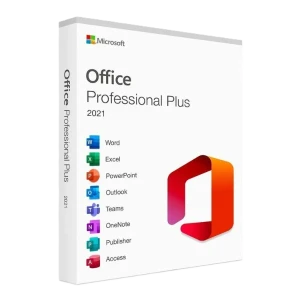
proof: Microsoft Office 365 pro plus suite-only available through volume licensing channels, includes the core applications (Word, Excel, PowerPoint, OneNote), plus Outlook, OneDrive, Publisher, Access and, Skype & much more.
Are you tired of purchasing one-by-one packages of Microsoft Office 365 Pro Plus? Are you looking for MS Office with the full version for your personal or business purposes? Do you want to connect your files from virtually anywhere in the World, and your personalized settings roam with you? Don’t Worry! We recommend using Office 365 Pro Plus gives you access to the latest available Microsoft Office suite of applications. Office 365 allows you to get a FREE upgrade whenever Microsoft releases a newer version of Office in the future. With this, you can get all your favorite Microsoft Office applications, including Word, Excel, PowerPoint, Access, OneDrive, Outlook, Publisher, and MUCH MORE!!! You are also entitled to a 5TB OneDrive cloud space to store & share all your personal documents. you’ll get Microsoft Office 365 professional plus license activation keys in just a few simple steps. You will receive account details & instructions to download & install the software.
Instructions for PC/Mac:
Instructions for Tablet, Android, iPad, and iPhone:
Why You Use Office 365 Pro Plus :
Note: Publisher & Access is only available for computers running Windows
System Requirements For Office 365 Pro Plus:
Island-wide delivery
Best price





 Pay LKR 359.70 × 3 installments with KOKO
 It’s compatible across PC/Mac/iOS/Android. It supports all languages and works worldwide. It supports installation on up to 10 devices (Desktops/laptops/tablets/phones). One Drive Not Available.
This product comes with a New Microsoft 365 Account for 1 Year, can’t upgrade existing Outlook mail or Microsoft account, comes with a new account with 1 one one-year one replacement warranty.
On August 1, 2024, Microsoft will retire the Office 365 A1 Plus program, a free Office subscription that includes Office desktop apps for qualified schools that purchased Office institution-wide for faculty and staff through Enrollment for Education Solutions (EES), Open Value Subscription Education Solutions (OVS-ES), Cloud Solution Provider (CSP), or a school contract. This program was introduced in 2015 to ease the provisioning burden for IT of moving users to the cloud. While the intent was to help schools with their transition, it also introduced a level of complexity leading to compliance issues for our customers, with many inadvertently becoming non-compliant. Today, Microsoft 365 A3 and A5 licenses are easier to assign, addressing our customer requirements and the need for a transitional program. All existing Office 365 A1 Plus licenses will expire on August 1, 2024. You can activate it with Windows MAC, Android, IOS, or any device. Maximum 5 Devices support. Note: This is only an account you can log in from office.com, with a limited warranty. this is an EDU account, support only Windows 10/11.
This is not Activation Key not supported by Windows 7 and 8.1 This is not a Physical Item Password recovery not supported Onedrive service not available One drive Data recovery support not included , we not provide any guarantee for your one-drive data You can change the Office 365 pro plus Account information and password this pre-created account like 3455@office365.pro. you can’t get the selected user names but you can change the password and use it.MS Office 365 professional plus Upgraded License Activation for 5 devices
proof: Microsoft Office 365 pro plus suite-only available through volume licensing channels, includes the core applications (Word, Excel, PowerPoint, OneNote), plus Outlook, OneDrive, Publisher, Access and, Skype & much more.
Are you tired of purchasing one-by-one packages of Microsoft Office 365 Pro Plus? Are you looking for MS Office with the full version for your personal or business purposes? Do you want to connect your files from virtually anywhere in the World, and your personalized settings roam with you? Don’t Worry! We recommend using Office 365 Pro Plus gives you access to the latest available Microsoft Office suite of applications. Office 365 allows you to get a FREE upgrade whenever Microsoft releases a newer version of Office in the future. With this, you can get all your favorite Microsoft Office applications, including Word, Excel, PowerPoint, Access, OneDrive, Outlook, Publisher, and MUCH MORE!!! You are also entitled to a 5TB OneDrive cloud space to store & share all your personal documents. you’ll get Microsoft Office 365 professional plus license activation keys in just a few simple steps. You will receive account details & instructions to download & install the software.
Instructions for PC/Mac:
Instructions for Tablet, Android, iPad, and iPhone:
Why You Use Office 365 Pro Plus :
Note: Publisher & Access is only available for computers running Windows
System Requirements For Office 365 Pro Plus:
Island-wide delivery
Best price
Digital Delivery: Sent directly to your registered e-mail address.
Maximum delivery timeframe: 12 hours.
No reviews yet for this product.
