

SQL Server 2025 Standard – 2 Cores License
LKR 750,000LKR 174,900
 45% Off
Install CorelDRAW 2024: Download and install CorelDRAW Graphics Suite 2024 for Mac from the official Corel website or the installation media provided when purchasing the software. Launch the Application: Open CorelDRAW 2024 after installation is complete. Sign...
 Pay LKR 2,539.70 × 3 installments with KOKO
 Select a Bank to View Available Monthly Plans
Minimal requirements System macOS Sonoma (14), macOS Ventura (13) or macOS Monterey (12), with the latest revision Processor Apple M1/2/3/Pro/Max or Multicore Intel processor Memory 8 GB RAM Graphics OpenCL 1.2-enabled video card with 3+ GB VRAM Disk space 3 GB available hard disk space for application files Network An Internet connection is required to install and authenticate CorelDRAW Graphics Suite and access some of the included software components, online features, and content.
Install CorelDRAW 2024: Download and install CorelDRAW Graphics Suite 2024 for Mac from the official Corel website or the installation media provided when purchasing the software. Launch the Application: Open CorelDRAW 2024 after installation is complete. Sign in to Your Corel Account: When prompted, sign in with your existing Corel account or create a new one. This step is necessary for product registration. Enter the Product Key: You will see a prompt to activate the software. Click on the “Enter Serial Number” or “Activate Now” option. Enter the serial number or product key you received with your purchase. This key typically consists of alphanumeric characters formatted like this: XXXX-XXXX-XXXX-XXXX-XXXX. Confirm Activation: Follow the on-screen instructions and click “Activate” or “Submit.” Complete the Activation: The application should validate the key and complete the activation process. Once done, you'll receive a confirmation that your software has been successfully activated.
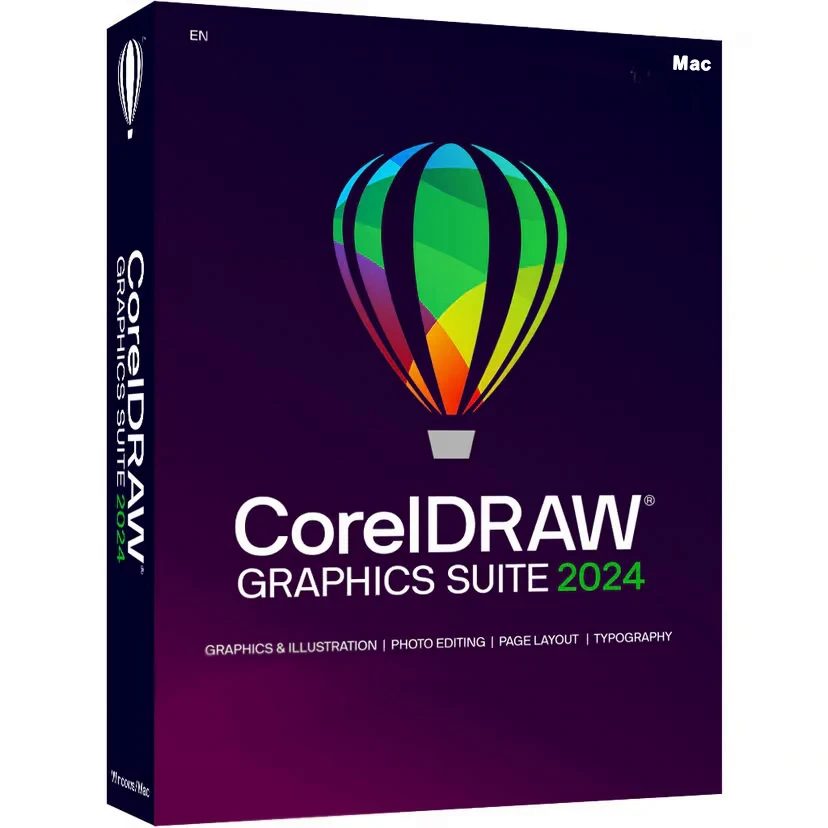
Creativity meets productivity CorelDRAW Graphics Suite is your fully loaded, professional design toolkit for efficiently delivering breathtaking vector illustration, layout, photo editing, and typography projects. A budget-friendly subscription provides incredible ongoing value with instant, guaranteed access to exclusive new features and content, peak performance, and support for the latest technologies.
Design Produce unique illustrations, signage, logos, and more on Windows or Mac and go with CorelDRAW.app.
Collaborate Collaborate with clients and colleagues using CorelDRAW.app to gather real-time feedback from one or many reviewers.
Done Deliver exceptional results in less time, thanks to seriously productive tools for any output type.
All the tools you need to tackle any project
Key features
Island-wide delivery
Best price














 Pay LKR 2,539.70 × 3 installments with KOKO
 Minimal requirements System macOS Sonoma (14), macOS Ventura (13) or macOS Monterey (12), with the latest revision Processor Apple M1/2/3/Pro/Max or Multicore Intel processor Memory 8 GB RAM Graphics OpenCL 1.2-enabled video card with 3+ GB VRAM Disk space 3 GB available hard disk space for application files Network An Internet connection is required to install and authenticate CorelDRAW Graphics Suite and access some of the included software components, online features, and content.
Install CorelDRAW 2024: Download and install CorelDRAW Graphics Suite 2024 for Mac from the official Corel website or the installation media provided when purchasing the software. Launch the Application: Open CorelDRAW 2024 after installation is complete. Sign in to Your Corel Account: When prompted, sign in with your existing Corel account or create a new one. This step is necessary for product registration. Enter the Product Key: You will see a prompt to activate the software. Click on the “Enter Serial Number” or “Activate Now” option. Enter the serial number or product key you received with your purchase. This key typically consists of alphanumeric characters formatted like this: XXXX-XXXX-XXXX-XXXX-XXXX. Confirm Activation: Follow the on-screen instructions and click “Activate” or “Submit.” Complete the Activation: The application should validate the key and complete the activation process. Once done, you'll receive a confirmation that your software has been successfully activated.
Creativity meets productivity CorelDRAW Graphics Suite is your fully loaded, professional design toolkit for efficiently delivering breathtaking vector illustration, layout, photo editing, and typography projects. A budget-friendly subscription provides incredible ongoing value with instant, guaranteed access to exclusive new features and content, peak performance, and support for the latest technologies.
Design Produce unique illustrations, signage, logos, and more on Windows or Mac and go with CorelDRAW.app.
Collaborate Collaborate with clients and colleagues using CorelDRAW.app to gather real-time feedback from one or many reviewers.
Done Deliver exceptional results in less time, thanks to seriously productive tools for any output type.
All the tools you need to tackle any project
Key features
Island-wide delivery
Best price
Digital Delivery: Sent directly to your registered e-mail address.
Maximum delivery timeframe: 12 hours.
No reviews yet for this product.
