
SQL Server 2025 Standard – 2 Cores License
LKR 750,000LKR 174,900
 8% Off
Anti-Virus Defense, Anti-Hacking, High-Tech Protection, Privacy Tools, Home Protection, Additional Features
 Pay LKR 817.50 × 3 installments with KOKO
 System Requirements Operating System Windows®-based: Windows 11 / 10 / 8.1 / 8 / 7 SP1+ Mac®: macOS® 11 – 14 Mobile: Android™ 8 – 14, iOS® 15 – 17 Technical Requirements Internet connection My Kaspersky account 2.7 GB free space, 1 GHz Processor, 2 GB Memory Languages English
Anti-Virus Defense, Anti-Hacking, High-Tech Protection, Privacy Tools, Home Protection, Additional Features
Island-wide delivery
Best price
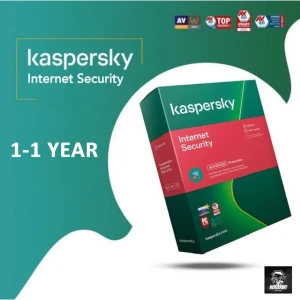
Please Go to the below Link To Download the Kaspersky Standard application . https://www.kaspersky.com/downloads/standard
After Downloading the Kaspersky Internet Security. Enter the activation key that was sent to your email.
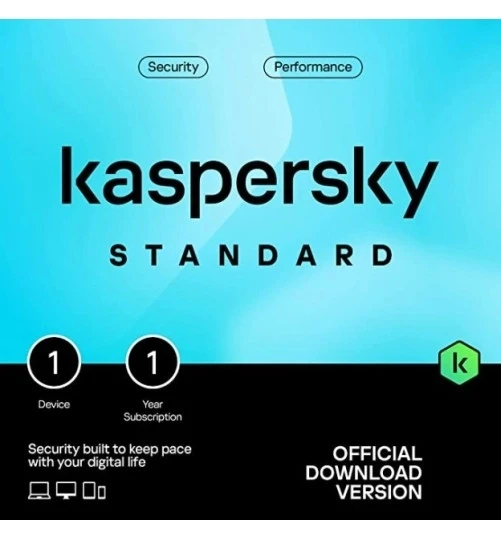
Enhanced protection with device performance booster. Our standard security plan offers powerful protection from viruses, malware, and ransomware. Still, it also includes performance tools to get your devices running quickly and smoothly, remove useless software, and keep your apps up to date.
Compatible with:
How your subscription works
Prices
When you subscribe, you pay the introductory price for your first term. The introductory price is indicated on your offer page, in the shopping cart, and your email receipt, along with other offer details, such as: Number of devices, Duration of the first term and subsequent terms, Renewal price for the following and following terms. Renewal price may differ from the introductory price and is subject to change. We will email you the renewal price for your subscription before the renewal date. Please note that discounts and offers that do not apply to you may be available at the time of your next renewal.
Auto-renewal
Your subscription will automatically renew each term until you cancel it. To ensure uninterrupted protection, we will attempt to charge your payment method 15 days before your subscription ends. We will notify you about your upcoming auto-renewal via email.
How to cancel
You can cancel the auto-renewal of your subscription at any time. If you cancel, you will have complete protection until the end of the already-paid term. After this date, your subscription will end, and you will not be charged for any subsequent periods. You can cancel the auto-renewal of your subscription through your My Kaspersky account.
To cancel:
You can also cancel auto-renewal by contacting Kaspersky Customer Support .
If you’ve already been charged for the next subscription term, you have 30 days from the billing date to request a full refund of the renewal payment. To request a refund, please get in touch with Kaspersky Customer Support .



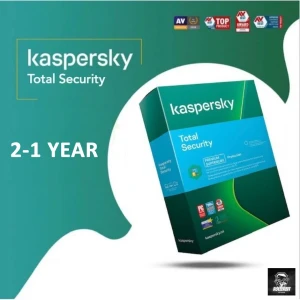
 Pay LKR 817.50 × 3 installments with KOKO
 System Requirements Operating System Windows®-based: Windows 11 / 10 / 8.1 / 8 / 7 SP1+ Mac®: macOS® 11 – 14 Mobile: Android™ 8 – 14, iOS® 15 – 17 Technical Requirements Internet connection My Kaspersky account 2.7 GB free space, 1 GHz Processor, 2 GB Memory Languages English
Anti-Virus Defense, Anti-Hacking, High-Tech Protection, Privacy Tools, Home Protection, Additional Features
Island-wide delivery
Best price
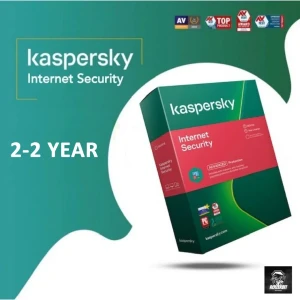
Please Go to the below Link To Download the Kaspersky Standard application . https://www.kaspersky.com/downloads/standard
After Downloading the Kaspersky Internet Security. Enter the activation key that was sent to your email.
Enhanced protection with device performance booster. Our standard security plan offers powerful protection from viruses, malware, and ransomware. Still, it also includes performance tools to get your devices running quickly and smoothly, remove useless software, and keep your apps up to date.
Compatible with:
How your subscription works
Prices
When you subscribe, you pay the introductory price for your first term. The introductory price is indicated on your offer page, in the shopping cart, and your email receipt, along with other offer details, such as: Number of devices, Duration of the first term and subsequent terms, Renewal price for the following and following terms. Renewal price may differ from the introductory price and is subject to change. We will email you the renewal price for your subscription before the renewal date. Please note that discounts and offers that do not apply to you may be available at the time of your next renewal.
Auto-renewal
Your subscription will automatically renew each term until you cancel it. To ensure uninterrupted protection, we will attempt to charge your payment method 15 days before your subscription ends. We will notify you about your upcoming auto-renewal via email.
How to cancel
You can cancel the auto-renewal of your subscription at any time. If you cancel, you will have complete protection until the end of the already-paid term. After this date, your subscription will end, and you will not be charged for any subsequent periods. You can cancel the auto-renewal of your subscription through your My Kaspersky account.
To cancel:
You can also cancel auto-renewal by contacting Kaspersky Customer Support .
If you’ve already been charged for the next subscription term, you have 30 days from the billing date to request a full refund of the renewal payment. To request a refund, please get in touch with Kaspersky Customer Support .
Digital Delivery: Sent directly to your registered e-mail address.
Maximum delivery timeframe: 12 hours.
No reviews yet for this product.
