

SQL Server 2025 Standard – 2 Cores License
LKR 750,000LKR 174,900
 69% Off
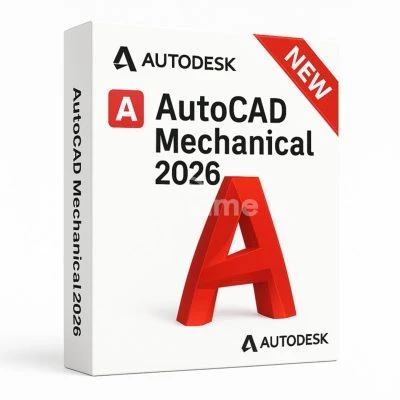
Autodesk AutoCAD Mechanical 2023-2026 (1 Device, 1 Year, EDU). License validity for 1 year. Download from AutoDesk™ website. 24/7 support. Best prices on the market. No external links.
 Pay LKR 904.70 × 3 installments with KOKO
 System Compatibility and Requirements Operating System: Windows 10 (64-bit) Windows 11 (64-bit) Note: AutoCAD Mechanical is not available natively for macOS. However, it can be run on Mac using virtualization tools such as Parallels Desktop, VMware Fusion, or Boot Camp (on Intel-based Macs). Recommended Hardware: Processor: Multi-core 3.0 GHz or faster (Intel i7 or AMD Ryzen 7 recommended) RAM: Minimum 16 GB (32 GB for large and complex projects) Graphics Card: DirectX 12-compatible GPU with at least 4 GB VRAM (NVIDIA Quadro or AMD Radeon Pro recommended) Disk Space: 10 GB of free space Display Resolution: 1920×1080 or higher
Autodesk AutoCAD Mechanical 2023-2026 (1 Device, 1 Year, EDU). License validity for 1 year. Download from AutoDesk™ website. 24/7 support. Best prices on the market. No external links.
Key Features of AutoCAD Mechanical
Standard Component Library
Automated Mechanical Component Generation
Advanced Annotation and Dimensioning
Intelligent Layer Management
Bill of Materials (BOM) Management
Productivity and Automation Tools
Island-wide delivery
Best price












 Pay LKR 904.70 × 3 installments with KOKO
 System Compatibility and Requirements Operating System: Windows 10 (64-bit) Windows 11 (64-bit) Note: AutoCAD Mechanical is not available natively for macOS. However, it can be run on Mac using virtualization tools such as Parallels Desktop, VMware Fusion, or Boot Camp (on Intel-based Macs). Recommended Hardware: Processor: Multi-core 3.0 GHz or faster (Intel i7 or AMD Ryzen 7 recommended) RAM: Minimum 16 GB (32 GB for large and complex projects) Graphics Card: DirectX 12-compatible GPU with at least 4 GB VRAM (NVIDIA Quadro or AMD Radeon Pro recommended) Disk Space: 10 GB of free space Display Resolution: 1920×1080 or higher
Autodesk AutoCAD Mechanical 2023-2026 (1 Device, 1 Year, EDU). License validity for 1 year. Download from AutoDesk™ website. 24/7 support. Best prices on the market. No external links.
Key Features of AutoCAD Mechanical
Standard Component Library
Automated Mechanical Component Generation
Advanced Annotation and Dimensioning
Intelligent Layer Management
Bill of Materials (BOM) Management
Productivity and Automation Tools
Island-wide delivery
Best price
Digital Delivery: Sent directly to your registered e-mail address.
Maximum delivery timeframe: 24 hours.
No reviews yet for this product.
