SPECIAL INSTRUCTIONS
- Please create Kaspersky My Account first.
- Please send your Kaspersky Account email address for activation process.
- Subscription directly added to your Kaspersky Account
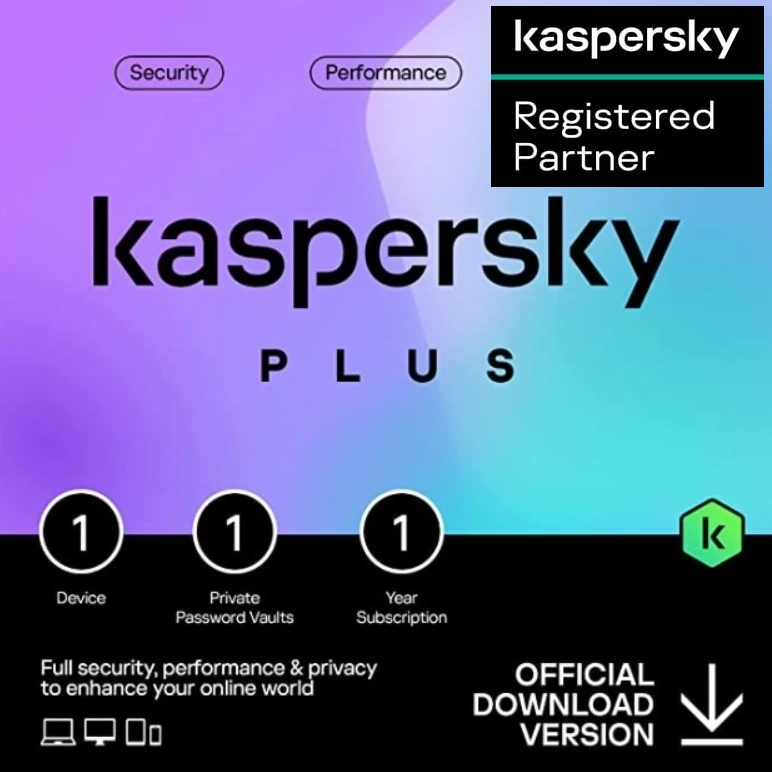
- Advanced security with anti-phishing and firewall included
- Perfomance optimisation tools enhanced by HDD health monitoring
- Privacy features including unlimited VPN and password manager
What’s included in Kaspersky Plus?
Explore all the protection, performance, and privacy features in our new security plan.
Privacy Features

Private and Uninterrupted Browsing
Tools to prevent unauthorized online tracking, unauthorized ads appearing, or anyone using your peripherals.
Stalkerware Detection
- Alerts you if there’s an attempt to use your software to spy on you – via Stalkerware, for example – or to steal your cryptocurrency.
Private Browsing
- Blocks the websites and social media platforms you visit on your Mac or PC from tracking your activities, collecting your private data, and chasing you with annoying ads. You can also block website banners and ads on your PC.
Ad Blocker
- Stops annoying website banners and potentially malicious ads showing on your Windows PC. If you are happy to be served ads by particular sites, you can favorite these so you continue to see ads when you visit them.
Webcam & Mic Protection
- Stops unauthorized access to your Windows PC or Mac webcam so nobody can watch you in your home. It alerts you when an app tries to use your webcam and lets you block apps or grant permission to trusted apps.

Online Payment Protection
Diverts you to a bank-grade protected browser when you make an online transaction, preventing your credit card details and financial data from being intercepted by hackers. Helps you invest in cryptocurrency more safely.
Password Manager
- Securely stores and syncs your passwords, credit card details, and documents across devices and alerts you if passwords are leaked.
Anti-Phishing
- Detects phishing links in emails and websites. Blocks fake websites created by scammers trying to steal your passwords, bank card details, or crypto-wallet credentials.
Data Leak Checker
- Warns you if your private account data is leaked on the internet or dark web, and advises you on how to prevent leaks in the future.

Unlimited & Fast VPN
Complete online privacy and freedom without compromising on speed.
Data Protection On Public Wi-Fi
- Whether you do shopping, banking, video calls, or emails, VPN protects your data from being intercepted by hackers.
IP Masking
- Your unique IP will be masked by our servers, ensuring no one can trace your devices or geolocation.
Kill Switch
- Prevents your IP address or personal data from being exposed if your VPN connection drops – it does this by blocking your device’s access to the internet until your VPN connection is restored.
Access To Global Content
- 2,000 of the fastest servers worldwide allow you to access your favourite websites, shows, and movies – including the ones on Netflix and Amazon – from wherever you want.
Performance Features

Hard Disk Cleaner
Allows you to free up space on your devices and improve system performance.
Duplicate & Large Files Cleanup
- Lets you easily locate and remove files with identical content. Sorts the files by size so you can remove those you don't need, freeing up disk space and improving device performance.
Unused Apps Cleanup
- Displays the apps you use least often, and lets you delete the ones you don’t need – helping you free up much-needed disk space on your PC and Android devices.

Performance Optimization
Quick measures to boost the speed of your devices and make them run as fast as they were designed to.
Quick Startup
- Helps your PC start up more quickly by stopping unnecessary apps from opening up as you switch your computer on.
PC Speed-Up
- Helps your computer run faster by deleting invalid Windows Registry entries, cleaning your folders, and emptying your recycle bin.
App and Software Updater
- Prompts you to install software updates – so your PC runs as quickly and smoothly as possible, and you always get the latest security.

Uninterrupted Entertainment
Allows you to watch movies, play games, or use full-screen apps without any interference – all at the maximum speed.
Entertainment Mode
- Ensures zero distractions during gaming or fullscreen app usage, with discreet protection in the background. It autodetects fullscreen mode and stops running scans and displaying security notifications except for the critical ones.
Activity Manager
- Checks which software and apps are most data-hungry so you can close them to avoid your computer slowing down or freezing.
Battery Saver
- Postpones virus scans and database updates when your Windows laptop or Android device is not on charge, allowing you to work, game, or stream for longer.
Security Features

Anti-Virus
Multilayered protection designed to prevent and neutralize viruses and malware.
Real-Time Anti-Virus
- Continuously scans your devices for viruses, worms, Trojans, CryptoLockers, rootkits, and spyware — guarding you against both new and established online threats.
Instant Threat Detection
- Delivers real-time, non-stop analysis of files, apps, and websites across your computers, safeguarding you and your data via rapid threat detection.
Safe Web Browsing
- Triggers screen alerts if you attempt to visit sites considered dangerous or potentially dangerous. It makes this assessment using a list of sites that have been attacked before, and asks you if you wish to proceed or not.
Anti-Hacking
- Tools to prevent unauthorized access to – or hijacking of – your computer, including anti-phishing and firewall tools.

Anti-Hacker
Tools to prevent unauthorized access & hijacking of your computer including anti-phishing and firewall.
Anti-Ransomware
- Monitors your PC in real-time to identify activity that matches ransomware behavior. This means suspicious activity can be blocked instantly, stopping ransomware attacks from locking you out of your machines.
Network Attack Blocker
- Detects suspicious activity and blocks direct attacks, so cybercriminals can’t threaten your security or stop your computer from performing as it should.
Two-Way Firewall
- Helps prevent hackers from attacking your PC by providing both incoming and outgoing network request detection – enabling you to view, assess, and manage every inbound and outbound connection that’s made.
Anti-Phishing
- Alerts you about phishing links in emails and on websites. Helps stop scammers from luring you to fake sites built to steal your personal info.

Existing Threats Removal
Technologies to detect vulnerabilities, remove viruses, and repair your PC if it has already been infected.
Microsoft Windows Troubleshooting
- Removes malware that got into your Windows device before you installed security. Also finds and fixes issues with your internet connection.
Emergency Recovery
- "You can save your PC from existing viruses by downloading Kaspersky Rescue Disk on a flash drive and running it on the infected computer to recover the OS and data."
Application Vulnerability Scan
- Scans and identifies vulnerabilities in the apps already installed on your devices to help stop infections.
Rootkit Scan
- Checks your computer and operating system for any malware that’s so deeply ingrained in your device that it starts up even before your OS.
Complete defense against cyberthreats
Our triple-layer protection system works 24/7 to secure your devices and data. It blocks common and complex threats like viruses, malware, ransomware, spy apps, and all the latest hacking techniques.
Antivirus
- Real-time Antivirus protects you from common threats like worms and trojans, as well as from more sophisticated threats like botnets and rogues.
Anti-Malware
- Advanced anti-malware blocks threats like keyloggers, adware, spear phishing, rootkits, and man-in-the-middle attacks.
Anti-Hacking
- Anti-ransomware and network security controls stop hackers from infiltrating your home network and stealing your data.
System Requirements
System Requirements for Web
For all devices
- Internet connection required – for product activation & updates and for access to some features
- My Kaspersky account is required to use the plan
Windows®-based desktops and laptops (system with an x86 processor)
- 1500 MB free space on the hard drive
- Microsoft Windows 11¹ Home / Pro / Enterprise²
- Microsoft Windows 10¹ Home / Pro / Enterprise²
- Microsoft Windows 8 & 8.1 / Pro / Enterprise / 8.1 update²
- Microsoft Windows 7 Starter / Home Basic & Premium / Professional / Ultimate – SP1 or higher²
- Processor: 1 GHz or higher
- Memory (RAM): 1 GB (32-bit) or 2 GB (64-bit)
- Minimum screen resolution: 1024 x 768
Mac® desktops and laptops
- 2635 MB free space on the hard drive
Android smartphones and tablets³
- Minimum screen resolution: 320 x 480
iPhone and iPad
Footnotes
- Please note we do not support the beta versions/previews of new operating systems. Only final, officially released operating systems are supported by the product.
- ¹ If you’re using Windows 11/10, you might need to download & install all available patches for your Kaspersky security software. Product is not intended to operate on Windows 11/10 Mobile/S/Education/IoT Core editions. ↩
- ² Some product features may not work on 64-bit operating systems. Please visit https://support.kaspersky.com/us/15781 to get more details. ↩
- ³ The Kaspersky Standard for Android functionality may currently be limited on certain devices. Please visit https://support.kaspersky.com/help/Kaspersky/Android_knownissues/en-US/195522.htm for more details. ↩




 14% Off
 Pay LKR 1,090.00 × 3 installments with KOKO